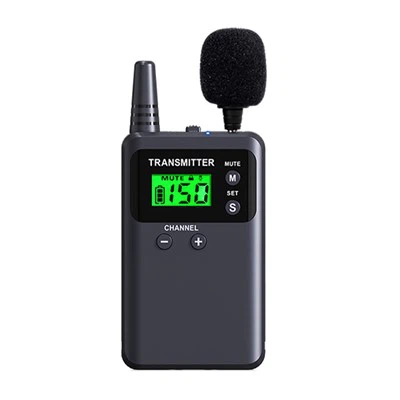
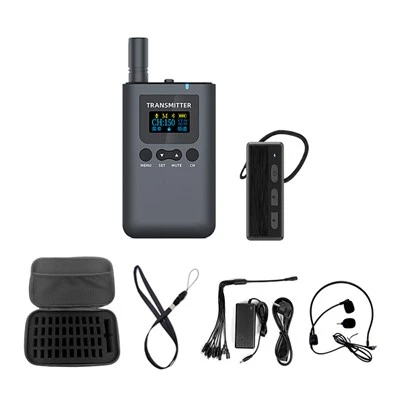
Hey museum folks, let's cut to the chase: one-way tour guide systems aren't just a fancy add-on anymore. They're the backbone of smooth, accessible museum experiences-no more yelling over crowds, no more missing out on exhibit context, and no more frustrating visitors stuck in a bunch. But here's the thing: even the best system (like, say, our solid lineup) is useless if your staff doesn't know how to use it right. I'm from the team that builds museum-focused one-way tour guide tech, and after working with 100+ museums from small local history spots to big art institutions, I've seen both the wins (sold-out quiet tours!) and the fails (staff fumbling with devices mid-tour, visitors leaving confused). Today, I'm breaking down how to train your team to actually nail this-no stuffy corporate slideshows, just actionable stuff that works for real museum vibes.
First off, let's get aligned on why this training matters. I've had a museum director tell me last year: "We bought a cheap one-way system, trained our staff for 10 minutes, and then had a guide accidentally blast a war documentary clip in the ancient Egypt exhibit." Yeah, that's a mess. Visitors don't care that you forgot a step-they care about their experience. A well-trained staff means fewer disruptions, more inclusive tours (perfect for hard-of-hearing visitors or those who hate crowds), and more time for your team to actually connect with art, not just hover over audio. That's the core, right? Turning tech into a tool for storytelling, not a headache.
Now, let's dive into the actual training flow. It's not one-and-done-trust me, I've seen that backfire hard. We split training into 3 stages: onboarding deep dive, practice runs, and ongoing refreshers. Let's walk through each, no jargon, promise.
Stage 1: The Hands-On Onboarding (No Seated Lectures!)
If you've ever sat through a 2-hour webinar where someone reads the manual, you know how useless that is. So skip it. Instead, group your staff (guides, front desk, security, even gift shop folks-they'll be the first point of contact for visitors asking about the system) into small teams of 3-4. Grab actual devices-our One-way Tour Guide Device units, not just a demo model-and walk through the basics right there in your lobby. Start with the easy stuff: turning devices on/off, adjusting volume (this is non-negotiable-no one wants a blaring audio clip), and pairing if you're using a portable setup like the Portable One-way Tour Guide System.
Wait, security folks-don't sleep on this. They're the ones who might need to help if a device dies mid-tour, or a visitor has trouble connecting. We once worked with a science museum where a security guard saved the day by swapping a dead receiver for a spare in 10 seconds, because he'd practiced during training. Pro tip here: assign each small team a "device lead" for the first month-someone who's got the basics down to answer quick questions, so you don't have a herd of staff pestering you every 5 minutes.
Also, here's a key part most training skips: scenario-based practice. Don't just say "adjust volume"-say "A visitor with a hearing aid needs the audio routed directly to their device. What do you do?" For stuff like that, we use real museum examples. Like, if you're in a dark art gallery with low Wi-Fi (or no Wi-Fi, some old museums have weird signal dead zones), how do you switch to pre-downloaded audio on your Long-Lasting One-way Tour Guide System that doesn't need data? That's the stuff that prevents panic when things go off script. We also make sure to cover low-bandwidth situations because, let's be real, museums with 10k visitors on a Saturday can have spotty Wi-Fi, so the Low-latency One-way Tour Guide System is built for that, but only if you know how to use it offline.
Stage 2: Practice Tours (For Real, Like You're Doing It For Visitors)
Once they've got the tech basics down, it's time to take it on the floor. Pick a quiet off-peak time-say, a Tuesday morning when there's only staff and volunteers- and run a full practice tour. No scripts, no holding back. Let your guides lead, let other staff play the role of "grumpy, confused, or extra curious visitors" to test their skills. I once did a practice run at a small history museum where a volunteer played a kid who kept dropping the receiver, and the guide had to adapt to pause the audio and hand them a spare without breaking the tour flow. That's the stuff that sticks, way more than a manual.
During these practice tours, keep an eye out for pain points. Maybe your guides are rushing through the audio clips, or they're forgetting to mention that the receivers are for loan at the front desk. After each practice, do a quick 10-minute huddle-no blame, just feedback. Like, "When you stopped at the dinosaur exhibit, you forgot to mention that we have a Spanish audio track available-how do we make sure you mention that every time?" That's how you turn practice into a seamless process. Also, if you're using the One-way Tour Guide System for Scenic Spots (which works just as well inside museum wings, by the way), make sure to test it in your actual exhibit layout-don't rely on a floor plan. Some nooks might have shorter Bluetooth range than you think, so practicing there fixes that before visitors complain.

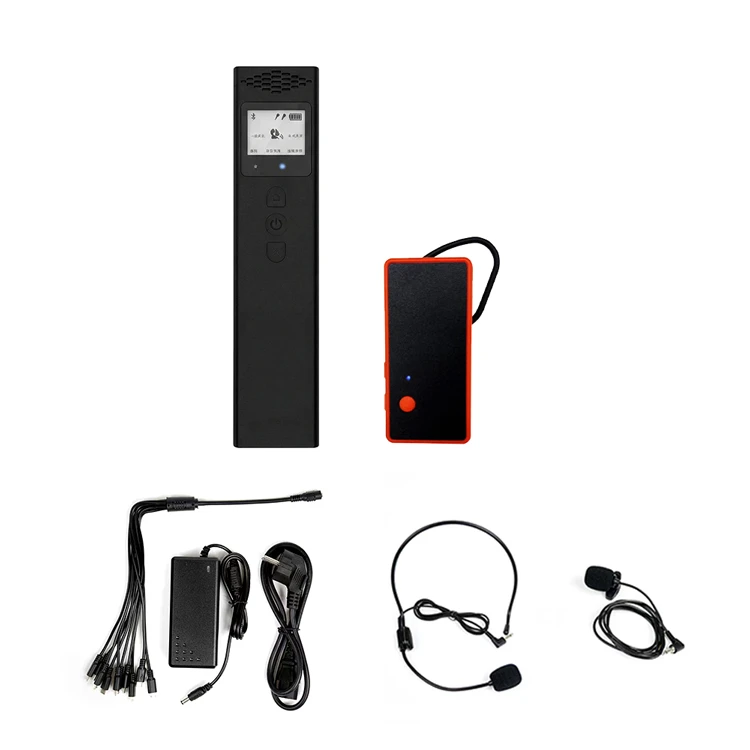
Another big one: accessibility. This is non-negotiable. Your training has to cover serving visitors with disabilities: how to adjust receiver volume to higher levels, how to use receiver clips for visitors with mobility issues (so they don't drop them), and how to offer audio tracks in multiple languages or descriptive audio for visually impaired guests. A study from the American Alliance of Museums found that 60% of visitors with disabilities say audio guides make museum visits way more enjoyable, so this isn't just a box to check-it's good for your audience.
Stage 3: Ongoing Refreshers (Because Tech Changes, and Staff Forgets Stuff)
Here's the thing: most museums do training once, then never touch it again. Big mistake. We recommend monthly 15-minute check-ins (no long meetings!) and quarterly refreshers. The monthly check-ins can be super quick: ask, "What's one thing that tripped you up this week?" Maybe a new guide didn't know how to reset a receiver, or a security guard had to help a visitor who didn't know how to turn on their device. That's easy to fix in 10 minutes.
Quarterly refreshers should be a little more hands-on. If you got new devices (or updated software), use that as an excuse to go through basics again. Or if you added a new wing, test the system there to make sure it works with the new layout. We also send quick video tutorials to all our museum partners, so if a guide forgets how to download a new exhibit audio, they can pull up a 2-minute video on their phone-way better than bugging someone during a tour.
Also, don't forget to celebrate small wins. If a guide gets a great review about the audio tour, share that at a staff huddle. If visitors stop asking where to get receivers, that's a win. Positive reinforcement makes staff more likely to stick with the system, not see it as another chore.
Wait, let's talk about common mistakes we see museums make when training. First, skipping the practice with real devices. We had a museum that trained staff on a demo device that worked perfectly, but when they used the real system, the sound was muted because they didn't know a volume button was hidden under a flap. Oops. Second, not involving front desk staff. They're the first people visitors talk to about the audio system, so if they don't know how to explain it, visitors get confused. Third, ignoring offline use. If your Wi-Fi cuts out mid-tour, and no one knows how to switch to pre-downloaded audio, that's a disaster. We've built our systems to handle offline use without a hitch, but only if you train your staff to use that feature.
Another quick tip: create a one-page cheat sheet for all staff. Keep it posted by the front desk, the security station, and the device storage closet. It should have 5 things: turn device on/off, adjust volume, download new audio, swap a dead receiver, and who to contact if something breaks. No fine print, just the basics. That's a lifesaver for staff who only use the system once a week, not every day.
So, to wrap this up: training your museum staff on a one-way tour guide system isn't about memorizing a manual. It's about hands-on practice, scenario testing, and ongoing support. When your staff knows how to use the system smoothly, visitors have a better time, your exhibits get the attention they deserve, and you don't have to deal with last-minute mishaps.
If you're looking to upgrade your museum's tour guide system (or need help refining your training process), our team is here to chat. We work with all kinds of museums-small, large, historic, art, science, you name it-and we can help you pick the right system, walk through training tips, and answer any questions you have about our gear, from portable setups for small exhibits to long-lasting units for all-day tours. Hit us up to connect and figure out what works for your space.
References
- American Alliance of Museums. (2022). Accessibility in Museum Experiences: A National Survey.
- Museum Technology Association. (2023). One-way Audio Guide Systems: Implementation and Staff Training Best Practices.
- Case Study: Local History Museum. (2021). Reducing Tour Disruptions with Targeted One-way System Training.