Step 0: Confirm Your Device Has a User-Replaceable Battery
Wireless tour guide receivers generally fall into two designs:
User-replaceable compartment models - the receiver has an accessible battery bay, typically closed with a small cover or a few screws. These are common on models built around standard AAA or coin-cell batteries.
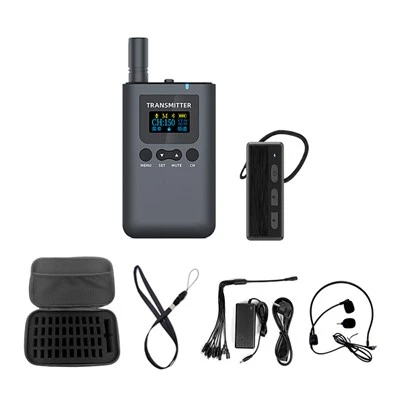
Sealed rechargeable models - the battery is built into the housing and charged through a docking case or charging cable, with no user-accessible compartment. Most of Yingmi's compact receivers (008A, L7, L8) fall into this category, and are designed to be charged via their charging case or cable rather than opened by the user.
If your unit has no visible cover, seam, or screws on the back or base, do not attempt to force it open. Check the model's spec sheet or contact support to confirm whether it's a sealed design - for sealed units, a worn-out battery is a warranty/service matter rather than a DIY replacement.
The steps below apply to models with an accessible battery compartment.
Tools Needed
A replacement battery matching the type and rating specified for your model (check the compartment label or the device's spec sheet - do not substitute a different voltage or chemistry)
A small Phillips or flat-head screwdriver, if the compartment is screw-secured
Optional: an anti-static wrist strap, to protect the internal circuit board from static discharge while the compartment is open
Step-by-Step Replacement
1. Power off the device. Turn off the receiver completely before opening the compartment - never replace a battery while the unit is powered on.
2. Locate and open the battery compartment. This is usually on the back or base of the unit. Some covers slide or lift off by hand; others are secured with one or two small screws. Keep any screws in a small tray so they aren't lost.
3. Remove the old battery. Batteries are either clip-secured or connected via a small wire connector. If it's clip-secured, gently release the clip. If it's wired, pull the connector apart by the plastic housing - never pull on the wires themselves.
4. Insert the new battery. Match the polarity and orientation shown inside the compartment. Reconnect the wire connector or seat the battery into its clips.
5. Close the compartment and secure it. Replace the cover and, if applicable, reinsert and tighten the screws.
6. Power on and verify. Turn the receiver on and confirm the battery indicator shows a charge level and the device functions normally. If it doesn't power on, reopen the compartment and check that the connector is fully seated and the polarity is correct.
Extending Battery Life Between Replacements
Store in moderate conditions. Heat and cold both accelerate battery degradation - avoid leaving receivers in a hot vehicle or an unheated storage room for extended periods.
Avoid deep discharge cycles. Recharge or replace before the device is fully drained whenever practical; repeated full discharges shorten battery lifespan faster than partial ones.
Don't leave rechargeable units on the charger indefinitely once fully charged, for the same reason.
FAQ
How do I know if my tour guide receiver's battery is user-replaceable? Check for a visible seam, cover, or screws on the back or base of the unit. If there's none, the device likely uses a sealed rechargeable battery charged via a docking case, and battery service should go through official support rather than a manual open-up.
What happens if I try to open a sealed unit? It typically voids the warranty and risks damaging the internal components, since sealed designs aren't built to be reopened without specialized tools.
How often does a tour guide receiver's battery need replacing? This depends on usage frequency and battery chemistry rather than a fixed schedule - a noticeable drop in run-time per charge (well below the device's rated battery life) is usually the practical signal that it's time.
Can I use any battery as a replacement? No. Always match the exact voltage and battery type specified for your model. Using an incorrect battery can damage the device or create a safety hazard.